 Chamele0n
World of Warcraft
A Raid-Helper replacement built for your Classic guild.
Chamele0n brings Discord raid signups, recurring schedules, guild rosters and SoftRes together. Run Classic and TBC raid operations from one connected bot and dashboard, with an addon handoff when it is time to form the group.
Most day-to-day features are accessible through Discord slash commands, alongside the web dashboard. Commands follow module permissions.
Your raid workflow, connected.
Schedule the raid. Fill the roster. Handle the loot. Keep your guild moving.
Make signups the easy part
Post raids with clickable signup controls, role and spec selection, and bench or tentative status. Officers can manage events and inspect the roster from the dashboard.
Build a repeatable raid week
Create recurring templates, send raid reminders, and close signup controls after the scheduled start. Guild timezones keep event scheduling tied to the people organizing it.
Know who is behind the character
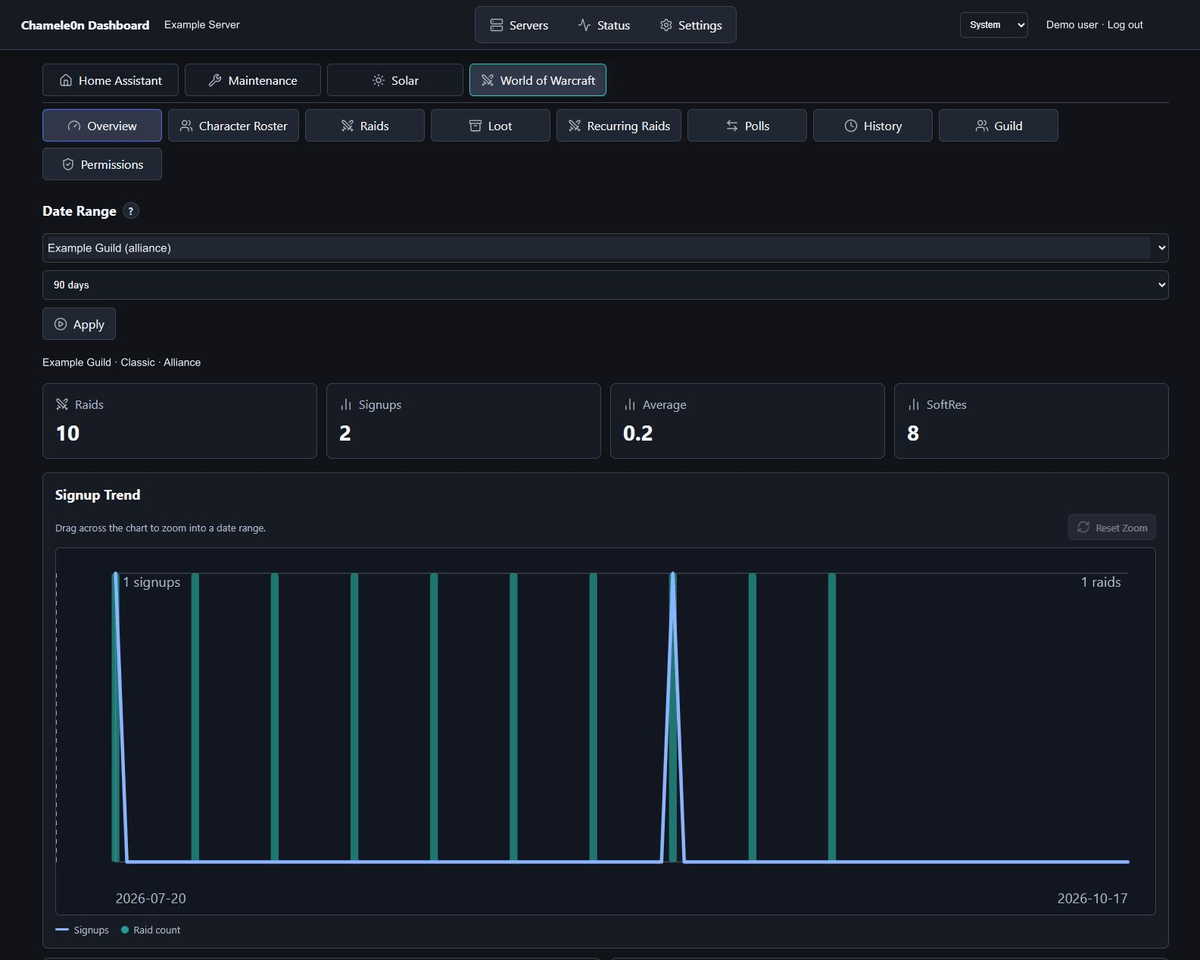
Keep guild contexts, mains, alts, professions and roster information together. Plan raid groups and review raid and signup trends as your guild changes.
Connect reservations to raid night
Use Chamele0n SoftRes-backed reservation sheets, edit multiple item reservations, and export Gargul-compatible CSV. Keep loot preparation attached to the raid workflow.
Take the roster into the game
Export a confirmed invite list to the Chamele0n WoW addon. Include supported bench or tentative players, and carry preassigned raid groups into the in-game invite workflow.
Keep officers in control
Use officer and configure permissions, channel-bound guild contexts and guild-scoped commands. Members can sign up or vote on open polls without receiving configuration access.
Keep the raid-night routine.
Bring the rest together.
Replace the core raid scheduling and signup workflow with Chamele0n, then connect it to guild records, loot reservations and the in-game invite list.
Not a one-click migration or a claim of complete Raid-Helper feature parity. Recreate your events and recurring templates in Chamele0n. Existing Raid-Helper posts stay untouched.
- Discord raid posts with role and spec signups
- Recurring templates and scheduled reminders
- Guild roster, mains, alts and professions
- SoftRes-backed loot reservations and Gargul CSV
- Chamele0n addon invite lists and group planning
Ready for your next raid night.
Create your guild context
Choose the supported game version, realm, faction and timezone, then bind your raid channel.
Build the next event
Create a raid or recurring template, configure role and spec choices, and link a SoftRes sheet where needed.
Go from signup to pull
Review the roster, plan groups, prepare reservations and hand the invite list to the in-game addon.
Built around supported WoW Classic guild contexts, including Classic Era and Anniversary TBC. Game variants and integrations depend on current implementation. Chamele0n is independent of Blizzard, Raid-Helper, Wowhead and Gargul.
Good to know.
Can it replace my Raid-Helper workflow?
It is intended as an alternative for Classic guild raid scheduling, Discord signups, recurring events and roster operations, with integrated loot reservation workflows. Check the capabilities above against your guild's requirements; this is not a claim of complete Raid-Helper feature parity.
Will my existing Raid-Helper events migrate automatically?
No automatic Raid-Helper event import is currently offered. Set up your guild context and recreate the events or recurring templates you want to move. Existing Raid-Helper posts are not modified.
Do I need the other Chamele0n modules?
No. Enable the WoW module for your installation without enabling Solar, Maintenance or Home Assistant. Module availability can also depend on the install invite provided by the bot owner.
Make Discord part of your workflow.
Start with the modules your community actually needs.