 Chamele0n
Solar
Understand your energy. Stay ahead of the unexpected.
A companion to MySolArk, not a replacement for your provider account. Chamele0n builds on your plant data with Discord alerts and slash commands, reserve-mode recommendations and controls, battery runtime forecasting, and configurable economics.
Most day-to-day features are accessible through Discord slash commands, alongside the web dashboard. Commands follow module permissions.
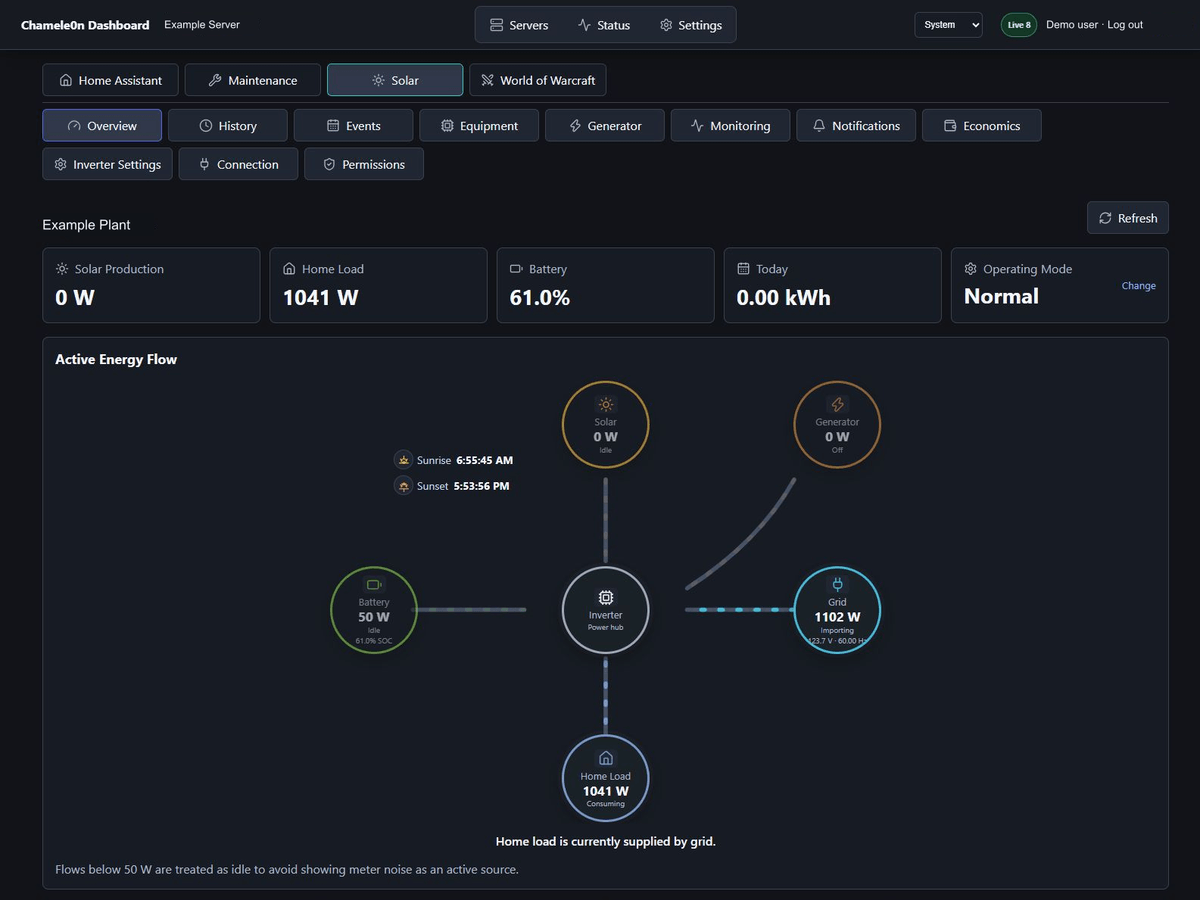
Turn readings into decisions.
Keep MySolArk for your provider connection. Add reserve workflows, financial context and battery planning alongside Discord alerts and commands.
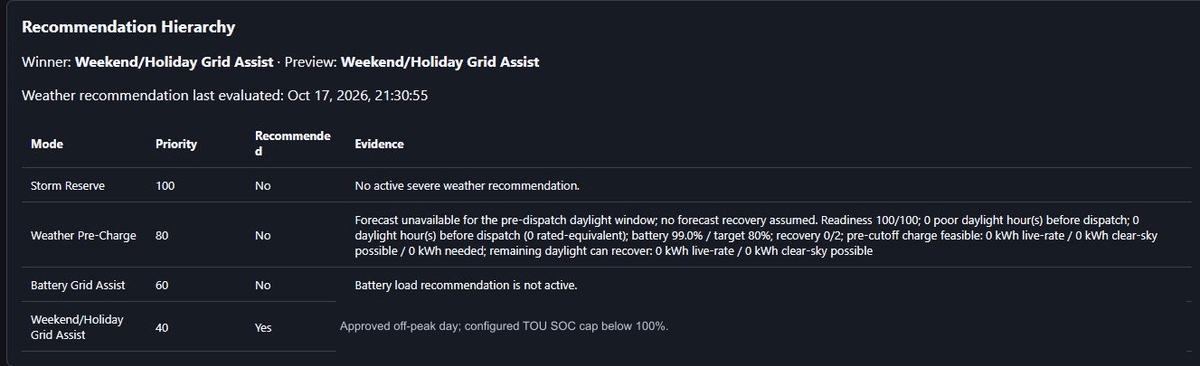
Modes with a purpose, not just a toggle.
Preview the recommendation hierarchy and proposed changes before touching the inverter. Supported modes change relevant settings while retaining captured restore values; provider readback must confirm a change.
- Storm Reserve
- Protect battery reserves when severe weather is a concern. This highest-priority mode can be applied manually by an authorized user.
- Weather Pre-Charge
- Use forecast quality, battery SOC and the dispatch window to identify poor recovery ahead. Enable grid charging across all six TOU slots toward a configured target, manually or with optional automatic apply and restore.
- Battery Grid Assist
- Reduce heavy battery discharge while low TOU SOC caps permit it. An approved temporary cap change allows grid support; captured settings can be restored afterward.
- Weekend/Holiday Grid Assist
- Use approved CMP all-day off-peak periods to avoid unnecessary battery dispatch. Temporarily raise applicable low TOU SOC caps, then restore the captured settings when the period ends.
A recommendation does not mean settings were applied. Only Weather Pre-Charge supports optional automatic apply and restore; the other modes remain deliberate manual controls. Failed verification stays visible for review.
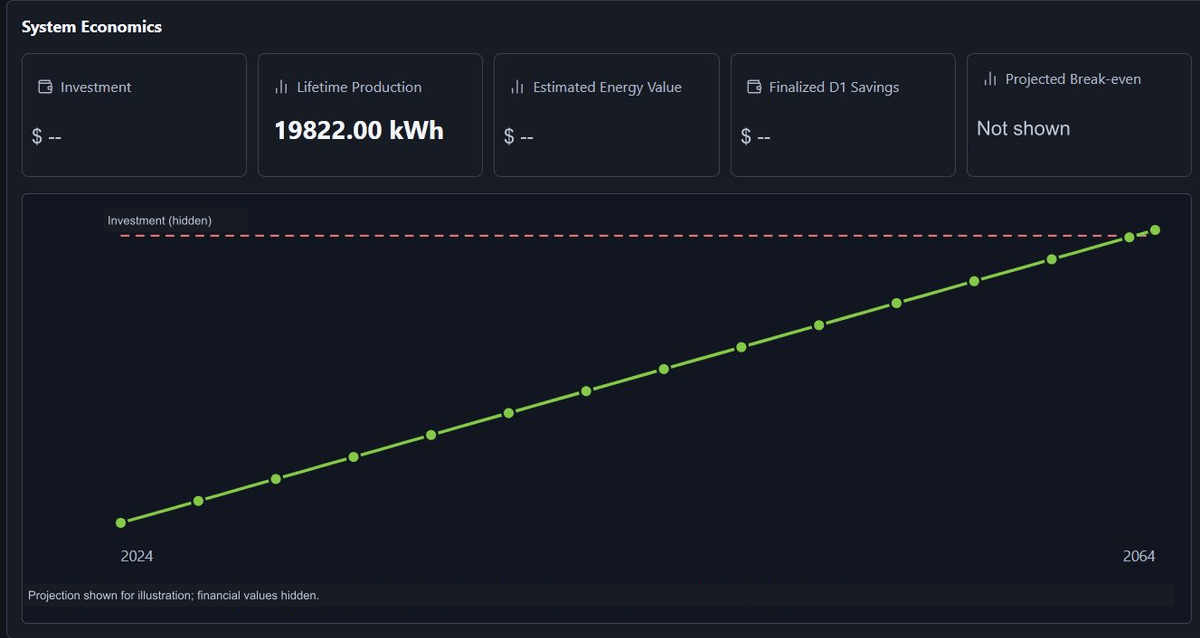
See the economics behind the energy.
Explore estimated energy value, savings and projected investment recovery using your configured assumptions.
Compare solar value with battery time-of-use savings, review monthly trends and keep utility bills alongside the estimates. Configure rates, dispatch windows and service charges rather than treating every kWh as equally valuable.
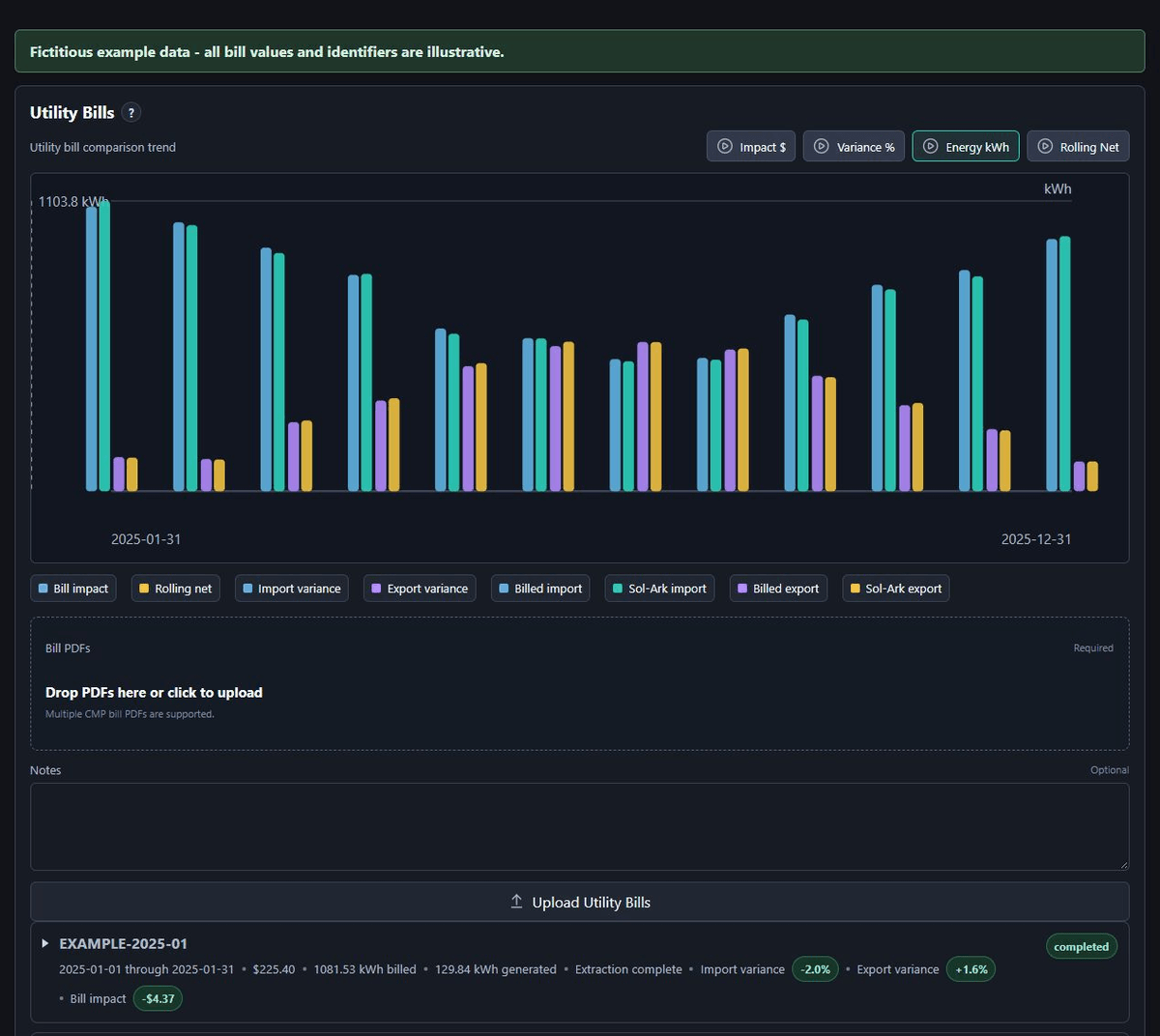
Bring your utility bill into the picture.
Upload supported bill PDFs, review extracted bill details and compare billed import/export with MySolArk energy for the same billing period. Explore energy differences, percentage variance, estimated bill impact and rolling net trends to spot discrepancies over time.
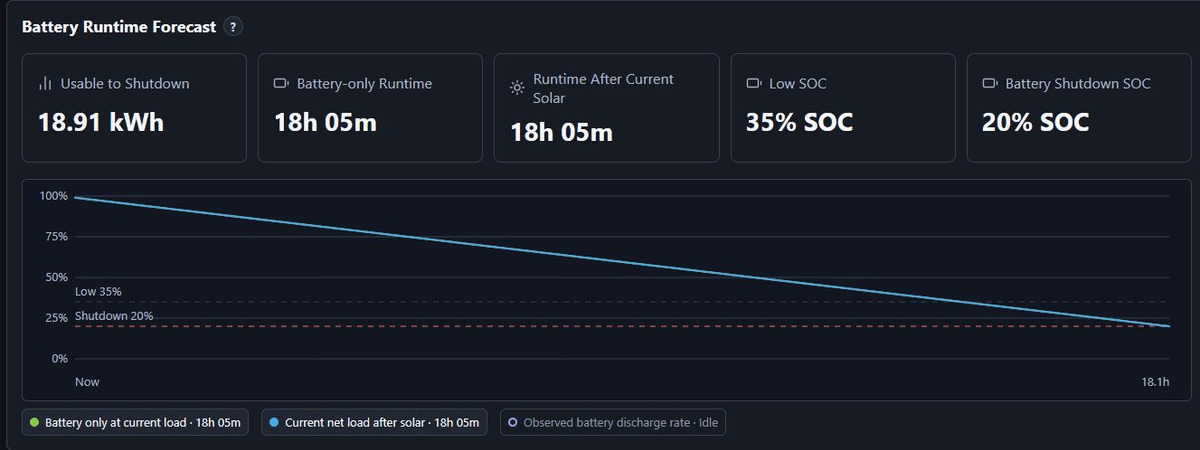
How long could the battery last?
Compare runtime at current home load, after current solar production, and at the observed discharge rate when available.
See usable energy above the shutdown reserve and compare the scenario lines against low-SOC and shutdown thresholds. Toggle individual lines to inspect close estimates. Idle or unavailable scenarios are identified instead of inventing a runtime.
More context. Less app switching.
Solar production, battery reserves, grid events and weather-aware recommendations, connected to Discord.
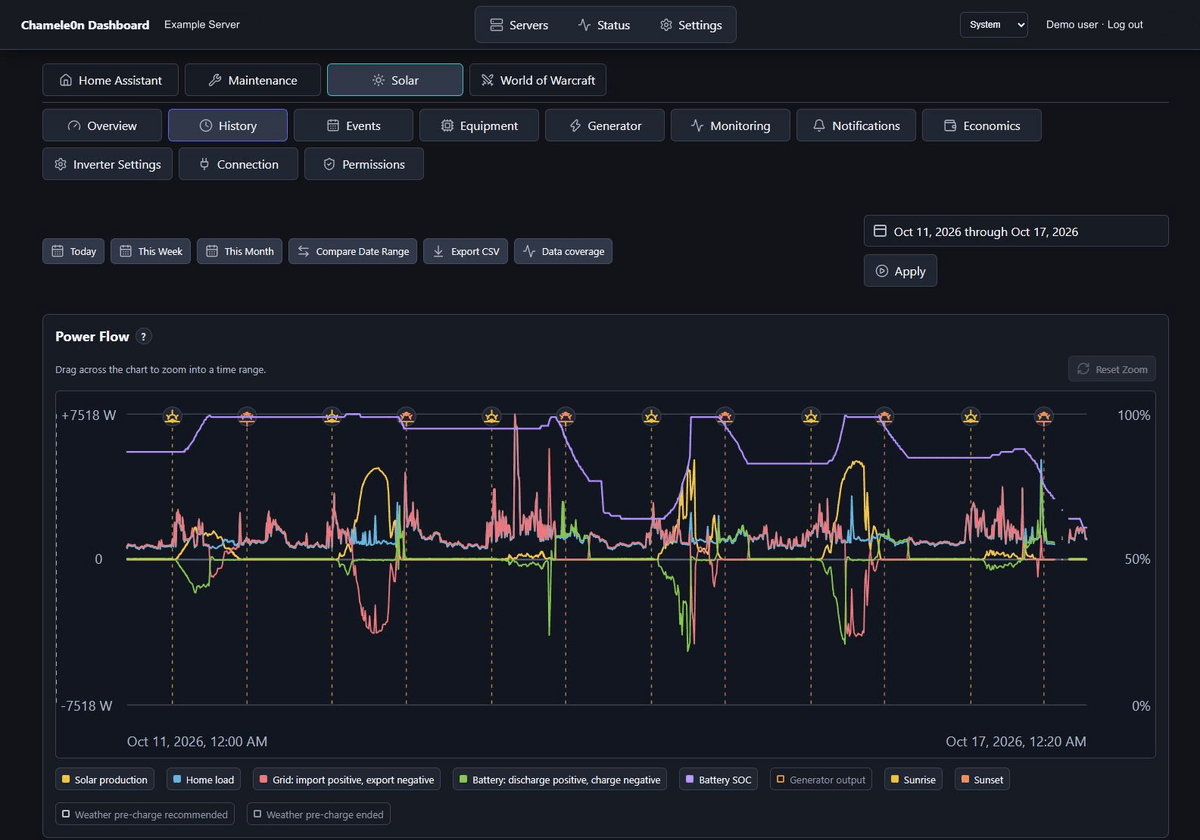
Follow every watt
See solar production, home consumption, battery state and grid flow together. Inspect available inverter and battery telemetry without jumping between screens.
Look beyond the latest reading
Explore historical power flow, compare date ranges and review daily data coverage. Historical import can fill available gaps from MySolArk.
Get the signal, not just the numbers
Send grid events, battery alerts, equipment health and weather-related recommendations to a configured Discord channel. Recovery messages distinguish cleared conditions from active alerts.
Keep physical controls deliberate
Review mode changes in a dry run, restrict inverter settings to authorized users, and preserve captured restore settings. Weather Pre-Charge automation is optional; changes require provider verification.
Plan reserves around the day ahead
Weather Pre-Charge uses forecast and battery conditions to recommend charging before dispatch. Storm Reserve, Battery Grid Assist and Weekend/Holiday Grid Assist provide additional supported modes. Apply supported modes manually; only Weather Pre-Charge offers optional automatic apply and restore.
Estimate how long the battery can last
Compare battery-only runtime at the current home load, runtime after current solar, and the observed discharge rate when available. See usable energy, low-SOC and shutdown thresholds. These are live-condition planning estimates, not guaranteed outage runtimes.
Put energy into financial context
Configure investment, energy prices and TOU assumptions to explore estimated savings, monthly trends and projected payback. Keep utility bills alongside those estimates. Results depend on your assumptions and data coverage, not a promise of financial return.
Generator Monitoring
Coming SoonComing Soon. Generator integration is still awaiting validation with physical equipment and is not being offered as a tested monitoring feature.
Put it to work.
Connect your plant
Configure the Solar module with a MySolArk account and select the plant you want to monitor.
Choose your alerts
Set thresholds, a Discord channel and permissions. Review the plant timezone and reserve settings.
Watch and review
Follow energy flow, inspect history and review recommendations before enabling optional controls.
Requires a compatible MySolArk account and a configured plant. Available readings depend on your inverter, battery integration and provider. Alerts can be delayed or unavailable; this is not a replacement for electrical protection or emergency monitoring.
Good to know.
Why use this alongside mysolark.com?
Chamele0n connects MySolArk data to your Discord installation: alerts and recovery messages, slash commands, additional reserve-mode workflows, battery runtime estimates, and economics using your configured costs and TOU assumptions. You still need your MySolArk account; provider availability and data quality still matter.
Does it work with every solar inverter?
The currently implemented provider is MySolArk. Do not assume support for other inverter providers or a direct local Modbus connection.
Does it change inverter settings automatically?
Monitoring and recommendations are distinct from control. Weather Pre-Charge supports optional automatic apply and restore. Authorized users can also apply supported modes manually. Review configuration and physical settings before enabling any automation.
Is Generator Monitoring ready to use?
Not yet. Generator Monitoring is Coming Soon, pending testing with physical equipment. Its presence in the interface should not be taken as a validated production feature.
Make Discord part of your workflow.
Start with the modules your community actually needs.