 Chamele0n
Maintenance
Keep the things you rely on ready to go.
Replace scattered notes with a shared maintenance history. Track what you own, what is due and what has already been done, then send the next reminder to Discord.
Most day-to-day features are accessible through Discord slash commands, alongside the web dashboard. Commands follow module permissions.
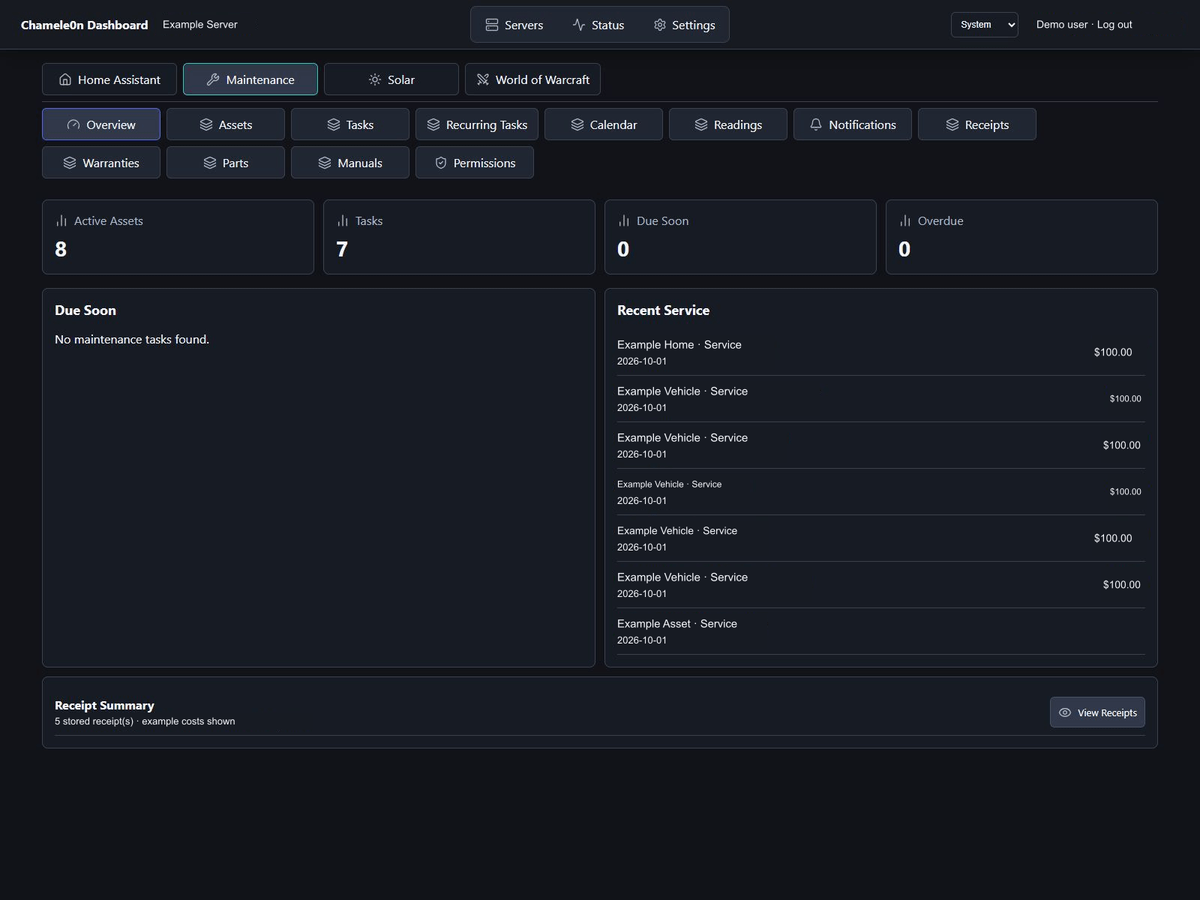
More context. Less app switching.
Asset records, recurring service, receipts and reminders for the home, garage and everything in between.
Give every asset a history
Keep equipment, vehicles, household systems and safety assets organized with service records, parts, manuals and warranty information.
Schedule for how things are used
Track work by calendar date, mileage or runtime. Enter new readings independently of service, and advance supported recurring schedules when work is completed.
Keep the paperwork with the equipment
Attach receipts and supporting documents to the assets they belong to. Review actual service costs and find the right manual when it is time for the next job.
See what needs attention
Use due-soon and overdue views, a maintenance calendar and proactive Discord reminders. Inspect sent or failed reminders and retry supported failed deliveries.
Put it to work.
Add your assets
Create records for the equipment, vehicles and household systems you want to maintain.
Set the schedule
Add tasks and choose calendar, mileage or hour-based intervals, thresholds and reminders.
Record the work
Complete tasks, attach receipts and keep the next due date or reading in view.
Requires the Maintenance module to be enabled for your Discord installation. Reminder accuracy depends on your schedules and readings. Follow manufacturer guidance for safety-critical maintenance.
Good to know.
Can I track more than calendar reminders?
Yes. Supported tasks can be based on dates, mileage or operating hours, with reading history linked to the asset.
Can I keep receipts and manuals?
Yes. The dashboard supports permission-controlled receipts and asset-linked supporting documents, including manuals and warranty information.
Make Discord part of your workflow.
Start with the modules your community actually needs.